Meet CarLog: every cost of your car in one app
19 October 2026 · 5 min read
- Product
- iOS
- Flutter
- Side project
I wanted a simple answer to a simple question: what does my car actually cost me?
Not just fuel. Insurance, the yearly service, a new set of tyres, parking, the occasional fine. Those costs arrive months apart, through different cards, and they never add up to a number you can see.
So I built one for myself. CarLog is an iOS app that keeps every cost of your car in one place and turns it into numbers you can use: total cost, fuel economy, and cost per kilometre. I use it for my own car, and once it worked well for me I put it on the App Store. It’s free to download.
Here is a tour.
The dashboard: what your car costs, at a glance
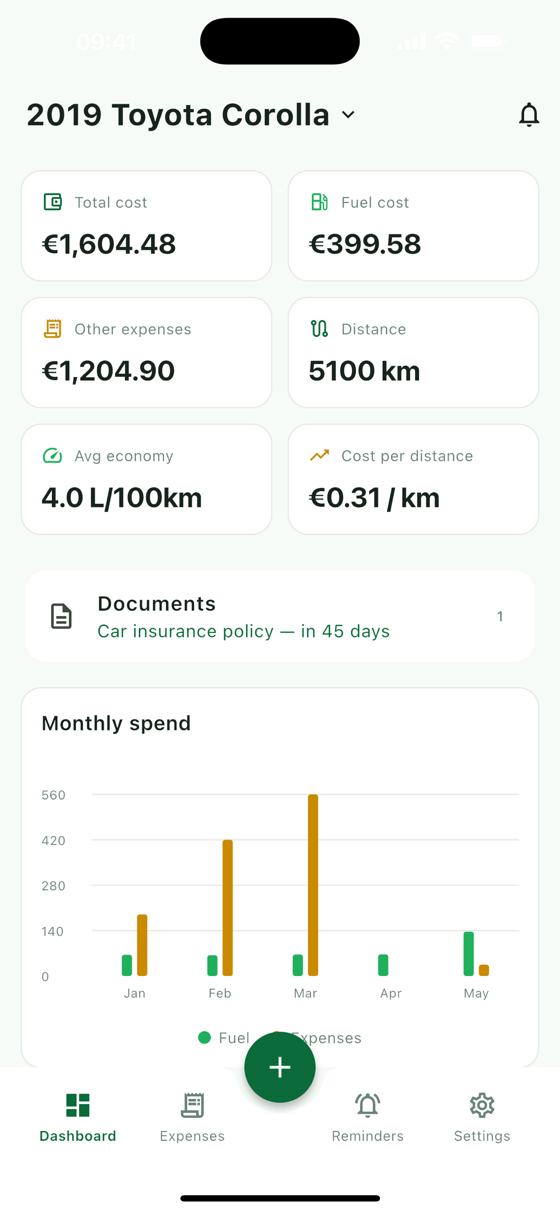
Open the app and the dashboard answers the question straight away. Six tiles show total cost, fuel cost, other expenses, distance driven, average economy, and cost per distance. That last one is my favourite: it turns “the car is expensive” into a number like €0.31 per kilometre, which you can actually compare and act on.
Below the tiles, the Documents card shows the next document about to expire, and the Monthly spend chart splits each month into fuel and everything else. One glance tells you whether March was expensive because of the pump or because of the insurance renewal.
Logging a fill-up takes seconds
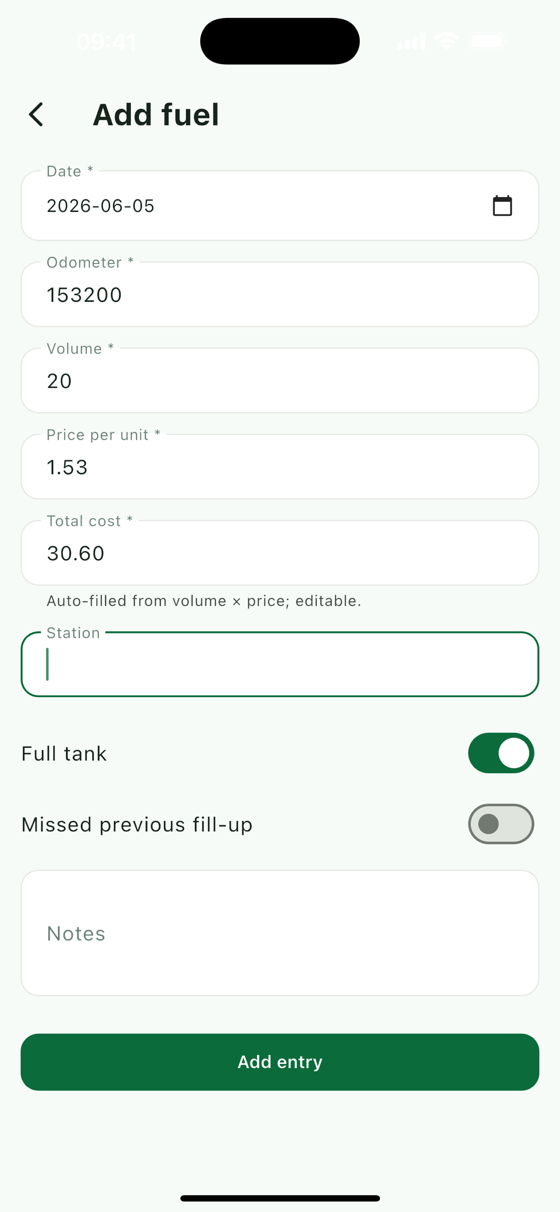
Tap the + button and choose a fill-up. Enter the odometer, the volume, and the price per litre, and CarLog works out the total for you (you can still edit it if the pump rounded differently). Adding the station and a note is optional.
Two switches keep the fuel economy honest:
- Full tank: economy is measured between full fill-ups, so the app knows how much fuel you really used over that distance.
- Missed previous fill-up: forgot to log one? Flip this, and CarLog won’t let the gap skew your average.
Petrol, diesel, LPG, electric, and hybrid vehicles are all supported.
Every other expense, categorised
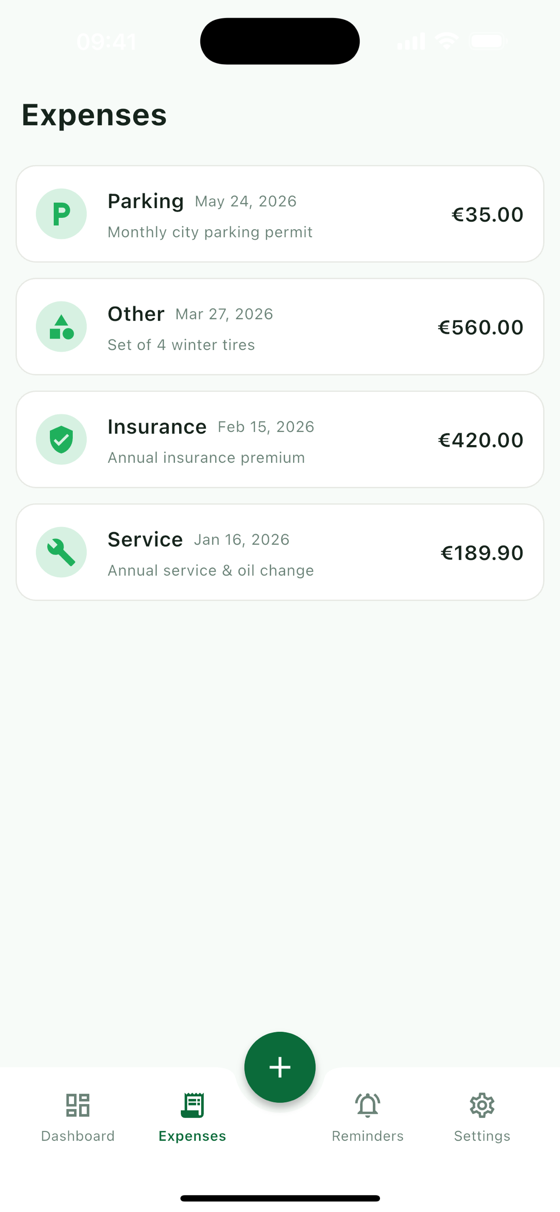
Everything that isn’t fuel goes in as an expense, with a category: service, repair, tax, insurance, parking, wash, fine, or other. The categories feed the dashboard and the chart, so you can see whether the money goes on running the car or on keeping it legal.
The Costs tab puts fill-ups and expenses together in one list. Sort it by date, by odometer, or by cost. Sorting by cost, largest first, is a quick reality check.
Reminders by date or by distance
Cars need things on a schedule, and the schedule isn’t always a date. CarLog’s Reminders work both ways:
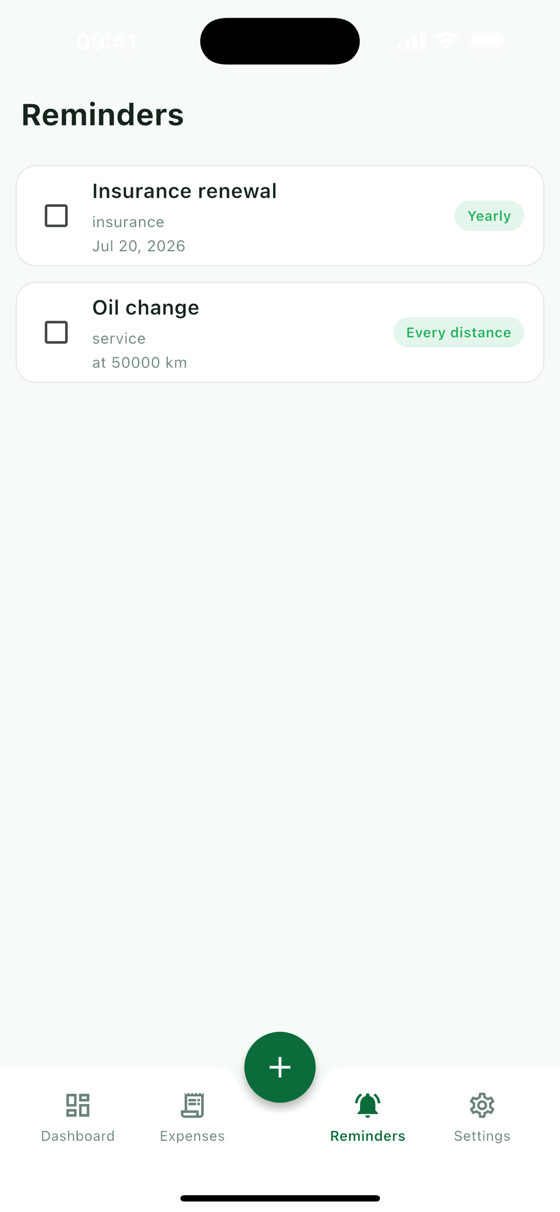
- By date, once, monthly, or yearly: insurance renewal, road tax, inspection.
- By distance: “oil change every 10,000 km”. CarLog watches the odometer readings you log and reminds you when you get close.
You get a push notification in the morning when a reminder is coming up or due, and recurring reminders schedule their next occurrence on their own: next month, next year, or another 10,000 km down the road.
Documents with expiry tracking
The Documents section is where the paperwork lives: the insurance policy, the registration, the inspection certificate. Add a title and an expiry date, and attach photos straight from the camera or your library, so the paper copy can stay in the glovebox.
Each document shows a countdown, “in 45 days”, and turns more urgent as the date gets closer. CarLog also sends a notification 30 days before a document expires, again at 7 days, and on the day itself. Renewals stop sneaking up on you.
Quick add from your home screen
The quickest way to log something is to skip opening the app properly. CarLog has an iOS home-screen widget, in small and medium sizes, with one-tap shortcuts to log a fill-up or an expense. Tap it at the pump, enter the numbers, done.
Your units, your currency
Kilometres or miles. Litres or gallons. L/100km, MPG, or km/L. Set your units once in settings and everything in the app follows them, from the dashboard tiles to the fuel form. Currency is your choice too, so you see costs the way you think about them.
Appearance offers light, dark, or follow the system.
More than one car
Free accounts include one vehicle, and that’s all most people need. If you look after a second car, a partner’s car, or a whole family garage, a one-time purchase unlocks extra vehicles. There’s no subscription. Each vehicle keeps its own fuel log, expenses, reminders, documents, and stats, and you switch between them from the dashboard header.
Your data, your call
Sign in with Apple or Google and your data is backed up and available on any device you sign in on. Deleting your account is in settings whenever you want it.
Under the hood, briefly
For the engineers: the app is Flutter, with a native SwiftUI widget for the home screen, and the backend is a Laravel API. Daily scheduled jobs send due reminders and document expiry alerts as push notifications. The fuel-economy, reminder, and statistics logic sits in small, unit-tested classes on the backend, because “your average is wrong” is the fastest way to lose trust in an app like this.
Try it
CarLog is free on the App Store. If you’ve ever wondered what your car really costs you, log a month of fill-ups and expenses and look at the dashboard. I’d love to hear what you think and what you’d want next: get in touch.