Meet HomeSplit: shared expenses, groceries, and chores in one app
19 October 2026 · 5 min read
- Product
- iOS
- Flutter
- Side project
Sharing a home means sharing a running tab. One person pays the rent, another buys the groceries, someone covers the internet bill, and a month later nobody is sure who owes whom. The usual fixes are a spreadsheet nobody updates or a group chat full of “I’ll send it tomorrow”.
HomeSplit is my answer to that. It’s an iOS app for roommates, couples, and families: add an expense once, and everyone sees what they owe. It also covers the other things a household argues about, the grocery list and the chores. I designed and built it on my own, from the backend to the App Store release, and it is free to download.
Here is a tour.
Set up your household in a minute
Sign in with Apple or Google, then create a household and give it a name. To bring people in, open Invite Members and share the link: drop it in the flat’s group chat and anyone who taps it joins. Invite links expire after seven days, so an old link floating around a chat can’t let someone in months later.
You pick the household’s currency once in settings. HomeSplit supports 20, including EUR, USD, GBP, RON, CHF, and PLN, and every amount in the app follows it.
The home screen answers “where do we stand?”
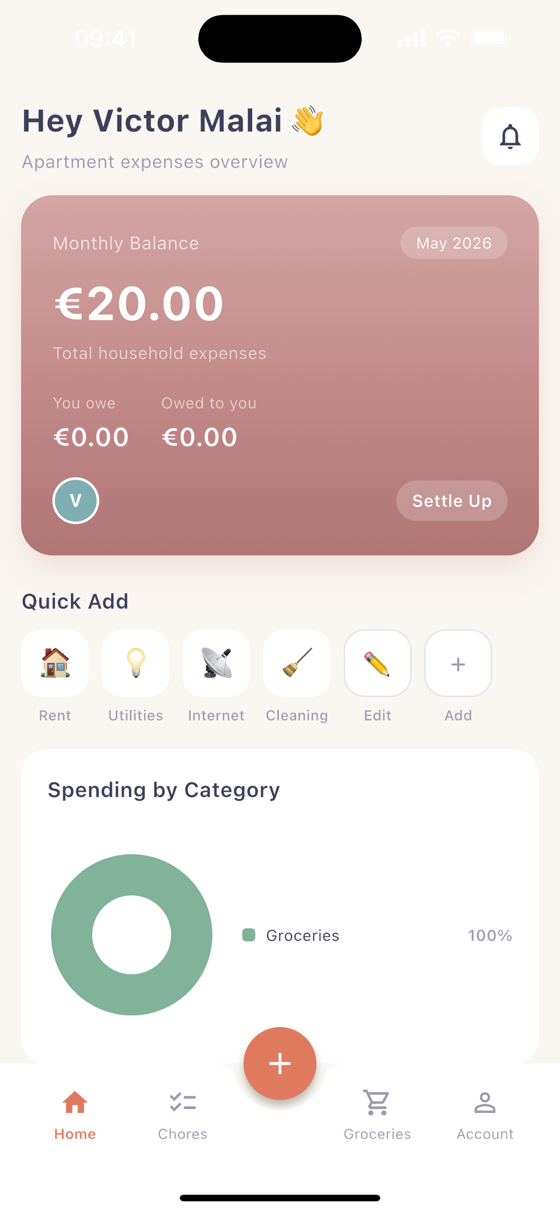
The card at the top is the whole story at a glance: total household spending this month, what you owe, and what is owed to you. Below it, Spending by Category shows where the money goes, and the Settle Up button is always one tap away.
Under the card is the Quick Add bar: Rent, Utilities, Internet, Cleaning, whatever your household pays most often. Tap one and the expense form opens with the category already chosen. Tap Edit to reorder the bar or add your own categories, each with its own icon.
Adding an expense takes a few seconds
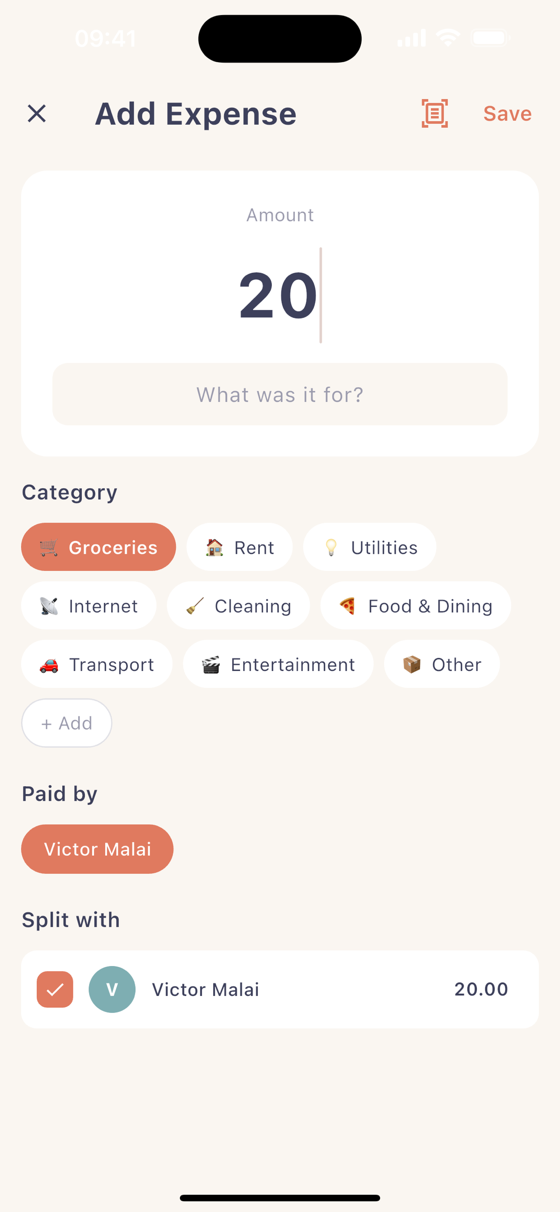
Type the amount, add a note if you want, and pick a category. HomeSplit fills in the rest:
- Paid by defaults to you, because that’s who’s adding it nine times out of ten.
- Split with starts with everyone sharing equally. Untick people who weren’t involved, or type custom amounts when the split isn’t even.
There is also a scan receipt button. Take a photo of the receipt, or pick one from your gallery, and HomeSplit reads the total and the shop name and fills them in for you. Text recognition runs on your phone with Apple’s Vision framework, so the photo never leaves the device.
Everyone in the household gets a notification that a new expense was added, and it appears in their balance straight away.
Settling up without the awkward conversation
The Settle Up screen lists every expense with money still outstanding, and who owes what on each one. From there you can:
- Mark a share as paid once someone has sent you the money (and undo it if you tapped by mistake).
- Send a reminder, a gentle push notification to the person who owes, so you don’t have to be the one who asks again.
When everything is paid back you get “All settled up!” and a burst of confetti. It’s a small touch, but settling up should feel good, not like an accounting exercise.
Groceries and chores, shared
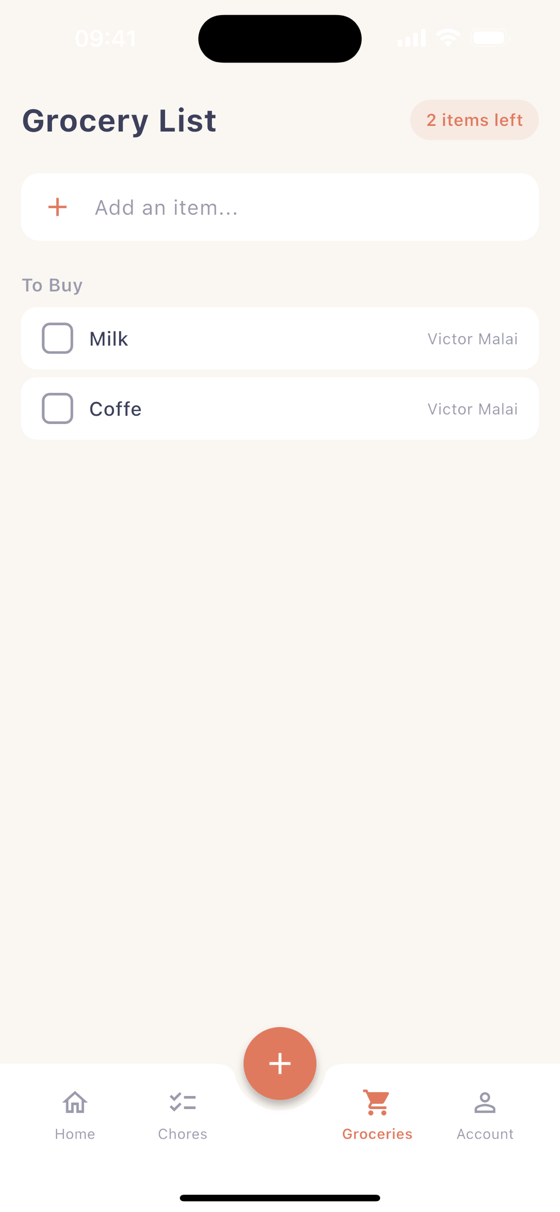
The Grocery List belongs to the whole household. Anyone can add an item, everyone sees who added it, and whoever is at the shop ticks things off as they go. The counter at the top shows how many items are left.
Chores work the same way. Create a chore, assign it to someone, and choose how often it repeats: once, daily, weekly, every two weeks, or monthly. Recurring chores reset on their own when they come due, so “who’s taking the bins out?” has an answer before anyone asks.
Reports: where did the money go?
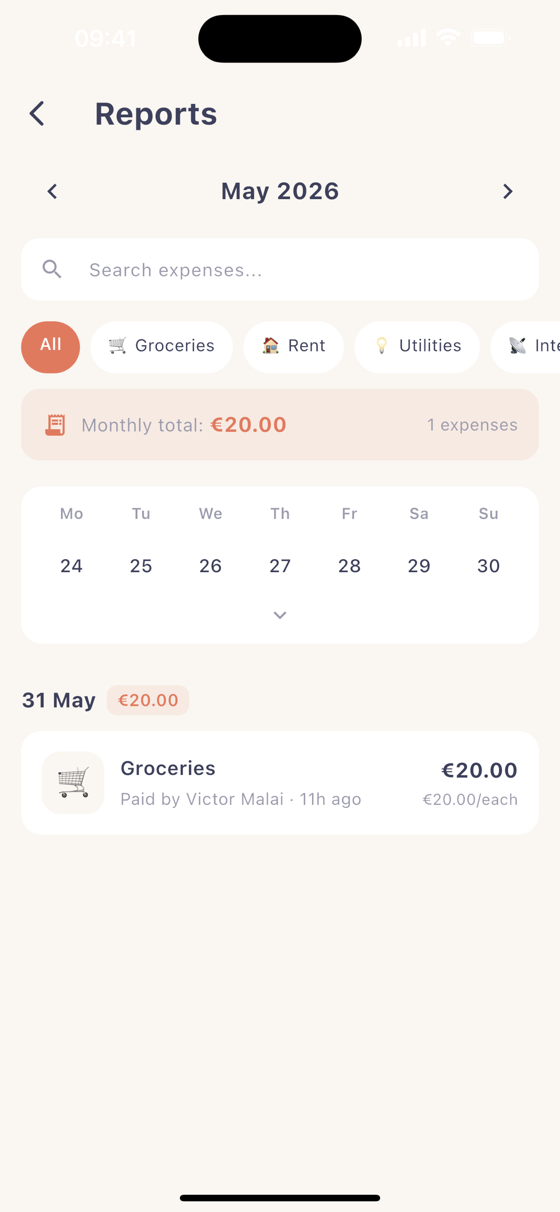
The Reports screen walks through your spending month by month. Filter by category, search for a specific expense, or open the calendar strip to see what was spent on which day. On the first of each month HomeSplit also sends a short summary notification, so the month’s spending comes to you instead of you going looking for it.
Make it yours: themes and card styles
Under Appearance you can choose light mode, dark mode, or follow the system setting. The balance card on the home screen has six styles to choose from: Terracotta Sunset, Golden Hour, Forest, Ocean Breeze, Night Sky, and Dusty Rose. It’s your household’s dashboard, so it should look like you want it to.
You can also add a profile photo from the camera or your gallery, so every expense, chore, and grocery item shows a face rather than an initial.
Your data, your call
Everything syncs through your account, so your household is there on a new phone the moment you sign in. If you ever want out, Delete Account sits in the account screen. If you own a household when you delete your account, ownership passes to another member first, so the people you lived with keep their shared history.
Under the hood, briefly
For the engineers: the app is Flutter, and the backend is a Laravel API that the app talks to. Amounts are stored in whole cents, so splits always add back up to the total. The balance engine works out a net balance for each member, then turns those balances into a short list of “A pays B” payments. A household of four never needs more than three payments to settle everything, so nobody ends up sending money to three different housemates when one payment would do.
Try it
HomeSplit is free on the App Store. If you share a home and keep losing track of who paid what, give it a go. I’d love to hear what you think, and what you’d want next: get in touch.